
文件大小:212Mb
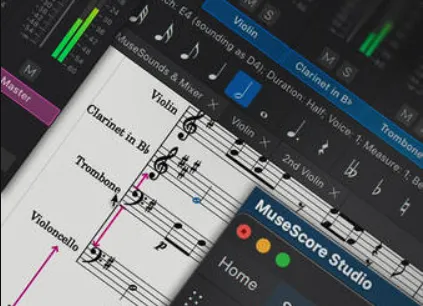
本视频课程非常适合 MuseScore Studio 新手或任何音乐记谱软件的初学者。在本系列课程中讲师 Eli Krantzberg 将带您全面了解这款由 MuseHub 提供的免费强大乐谱软件的各项基本功能。无论您是作曲家、编曲家、教师还是学生,您都将学习如何创建专业品质的乐谱,从音符输入到布局和导出。这些视频专为 MuseScore Studio 新用户设计。
课程从创建新乐谱的基础知识讲起(选择乐器、设置拍号和调号以及调整乐谱细节),然后逐步讲解各种输入音符和休止符的方法。Eli 将演示如何使用键盘、MIDI 控制器以及其他音符输入模式快速输入旋律、和弦和节奏。
接下来,您将学习如何处理多声部、插入和删除小节、编辑音符、复制和粘贴音乐素材,以及如何使用“属性”面板进行精细控制。 Eli 还讲解了连音符、力度记号、渐强记号和其他表现力丰富的标记,让你的乐谱栩栩如生。
最后,本课程将探讨格式设置、布局和分谱创建,以及鼓谱、和弦符号、歌词和 MuseSounds 音色库等专题。你将学习如何使用混音器调整乐谱的播放效果、调整最终外观,以及如何导出项目以进行打印或分享。
课程结束时,你将能够自信地使用 MuseScore Studio 创建、编辑和润色完整的乐谱。请参阅各个 MuseScore Studio 视频教程的说明,了解更多课程内容。这是掌握这款全球最流行的免费乐谱软件最快捷、最简便的方法。快速轻松地学习创作、编排和格式化专业乐谱……立即观看“MuseScore Studio Explained®”!
你将学到:
- 创建乐谱并设置乐器、速度和调号。
- 输入和编辑音符、休止符、和弦以及多声部。
- 处理连音符、力度记号、歌词和和弦符号。
- 格式化布局,使用 MuseSounds 和 Mixer,并导出最终乐谱。
- 以及更多功能!
This video course is perfect for anyone new to MuseScore Studio or music notation programs in general. In this comprehensive series, Groove3 instructor Eli Krantzberg walks you through every essential feature of this free, powerful scoring application available from MuseHub. Whether you’re a composer, arranger, teacher, or student, you’ll learn how to create professional-quality scores, from note entry to layout and export. These videos are designed for new MuseScore Studio users.
The course begins with the basics of starting a new score (choosing instruments, setting time and key signatures, and adjusting score details) and then progresses to various methods of entering notes and rests. Eli demonstrates how to use the keyboard, a MIDI controller, and alternative note-entry modes to quickly input melodies, chords, and rhythms.
Next, you’ll learn about working with multiple voices, inserting and removing measures, editing notes, copying and pasting musical material, and using the Properties panel for fine-tuned control. Eli also covers tuplets, dynamics, hairpins, and other expressive markings that bring your notation to life.
Finally, the course explores formatting, layout, and part creation, plus special topics like drum notation, chord symbols, lyrics, and the MuseSounds library. You’ll see how to tweak your score’s playback with the Mixer, adjust the final appearance, and export your project for printing or sharing.
By the end, you’ll be able to confidently create, edit, and polish complete scores using MuseScore Studio. See the individual MuseScore Studio video tutorial descriptions for more info on all that’s covered. This is the quickest and easiest way to master the world’s most popular free notation software. Learn to compose, arrange, and format professional scores quickly and easily … Watch “MuseScore Studio Explained®” now!
What You Will Learn:
-Starting a score and setting up instruments, tempo, and key signature.
-Entering and editing notes, rests, chords, and multiple voices.
-Working with tuplets, dynamics, lyrics, and chord symbols.
-Formatting layouts, using MuseSounds and the Mixer, and exporting final scores.
-And much more!
这是付费内容。请先 登录 ,才可查看。
评论&咨询